The steps below were run on Linux on 2026-11-27 with Claude Code 2.1.331, Cursor CLI 2026.11.22, Paseo 0.17.5 and paseo-orbi at commit
92cfa58.
The Orbi plugin
The Claude Code and Cursor plugins are one folder in this repository,integrations/claude-plugin. It contains:
“Needs Orbi” means the repository is delivered by Orbi Cloud or a self-hosted Orbi (it has the
ai-ready label). The skills work in any repository. In Claude Code the plugin uses your authenticated gh CLI; check it with gh auth status.
Both editors load the same folder. Get it once:
git -C ~/orbi-plugin-src pull.
Claude Code
-
Start Claude Code with the folder loaded.
--plugin-dirloads it for that session only, so start each session this way: -
Confirm it loaded: ask “which skills and commands do you have from the orbi plugin?”. Claude Code lists
orbi:ship,orbi:status,orbi:suggest-ai-ready-issuesandorbi:write-ai-ready-issue.
/orbi:ship says the repository isn’t delivered by Orbi, the repository has no ai-ready label. The skill still writes the Issue text; connect the repository to Orbi first if you want Orbi to deliver it.
Cursor
Cursor loads plugins placed in~/.cursor/plugins/local/, in the editor and in the Cursor CLI (Cursor plugin docs). The Orbi plugin is not in the Cursor Marketplace yet.
-
Copy the plugin folder into Cursor’s local plugin directory:
- Restart Cursor, or run Developer: Reload Window.
-
Confirm it loaded. In the Cursor CLI (
cursor-agent), asking which skills come from the orbi plugin listswrite-ai-ready-issueandsuggest-ai-ready-issues. In the editor, Cursor’s docs say plugin components appear under Customize, and skills can be called with/skill-namein chat.
/orbi:ship and /orbi:status commands. We have not checked the Cursor editor yet. If you need the commands, use Claude Code.
After you pull an update, copy the folder’s contents over the installed copy:
paseo-orbi
paseo-orbi is a community plugin by TrebuchetDynamics, built and delivered with Orbi. Inside Paseo it shows, for each Orbi deployment you authorize on that machine, which Issues are in progress, what happened in each run, and why work stopped. It is read-only unless you grant Start, Stop and Restart per deployment. Questions about the plugin go to its repository.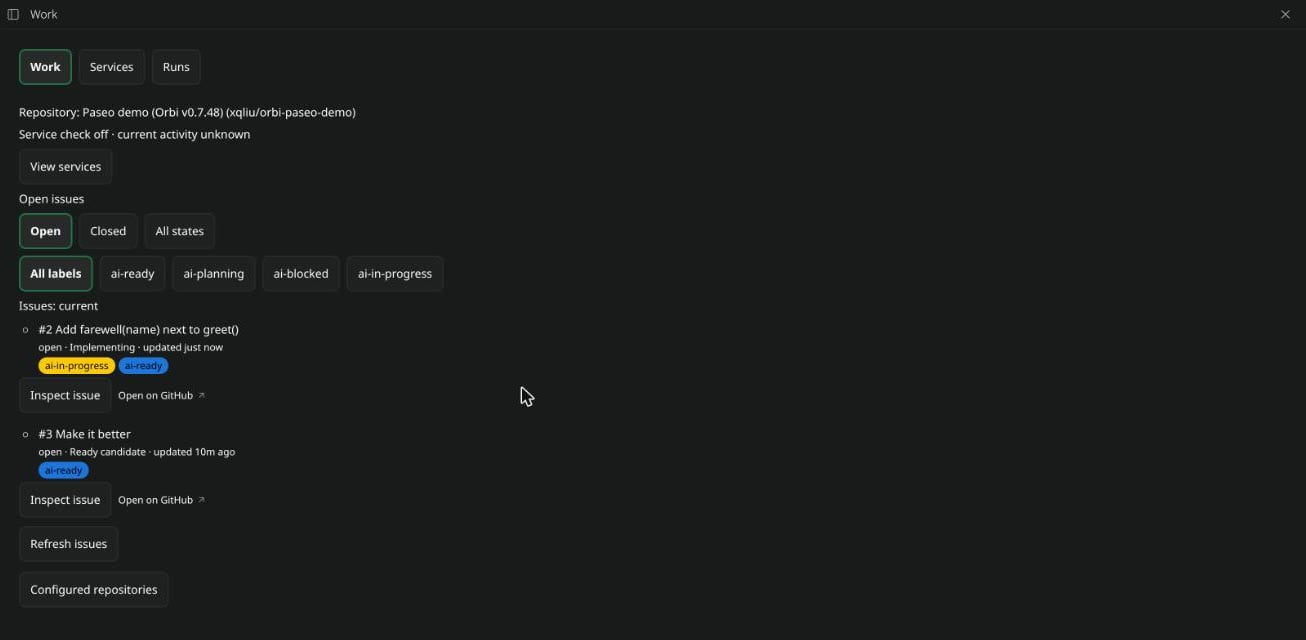
What you need
- Linux with a systemd user session. The plugin reads your Orbi deployment’s user units and journal. Its author’s baseline is Linux; the iOS and Android apps are not yet qualified.
- A self-hosted Orbi deployment (installer path) whose engine checkout is at
v0.7.48. For an installer deployment the engine checkout isdeploy_home. Pin it withengine_source_track = "tag:v0.7.48"inorbi.toml; the next timer run moves the checkout to that tag.git -C <deploy_home> describe --tagsthen printsv0.7.48. - The deployment’s
orbi.tomlsetsrepo_dir,deploy_home,source_reposand amax_concurrencyof 1 to 5;unit_nameis optional (Configuration). Relative paths inorbi.tomlresolve against the file’s own directory. - An authenticated
ghCLI for the user that runs Paseo. The plugin reads Issues, comments, pull requests and checks with it and never writes to GitHub. - The Paseo CLI (
npm install -g @getpaseo/cli), which needs Node.js. The steps below use its daemon. The Paseo desktop app starts its own daemon, and we have not checked how to passPASEO_ORBI_CONFIGto it.
Install and configure
-
Turn on plugins, and the daemon’s bundled web UI, in Paseo’s configuration:
Plugins run unsandboxed with your user’s access. Read the plugin’s code before you enable it.
-
Write an authorization file, for example
/srv/orbi/paseo-orbi.json. Every path must be absolute, with no symlinks or~:Leave outcontrolsto keep the deployment read-only. Granting Start, Stop and Restart is described in the operator guide. -
Start the Paseo daemon with
PASEO_ORBI_CONFIGset to that file. The variable must be in the daemon’s own environment when it starts; exporting it in another shell later does nothing:paseo daemon runstays in the foreground. Run the next steps in another terminal. To also list Orbi’s user units on the Services screen, addPASEO_ORBI_HOST_INVENTORY=1. It lists every user unit whose name starts withorbion that machine. -
Install the plugin:
This installs the repository’s current
main. Add--ref <commit>to pin a revision. After you edit the authorization file, runpaseo plugin reload paseo-orbi. If you changePASEO_ORBI_CONFIGitself, restart the daemon. -
Open
http://localhost:6767/and select Orbi in the sidebar.
Check that it works
paseo plugin lsshowspaseo-orbiasrunning. That only means the plugin loaded; check Work next.- Work shows
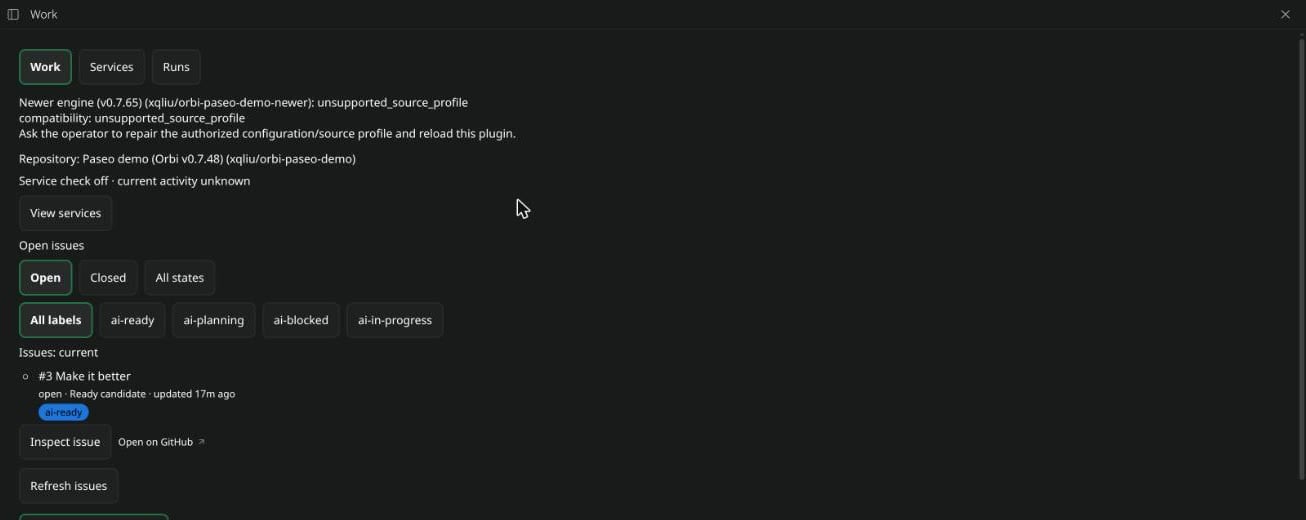
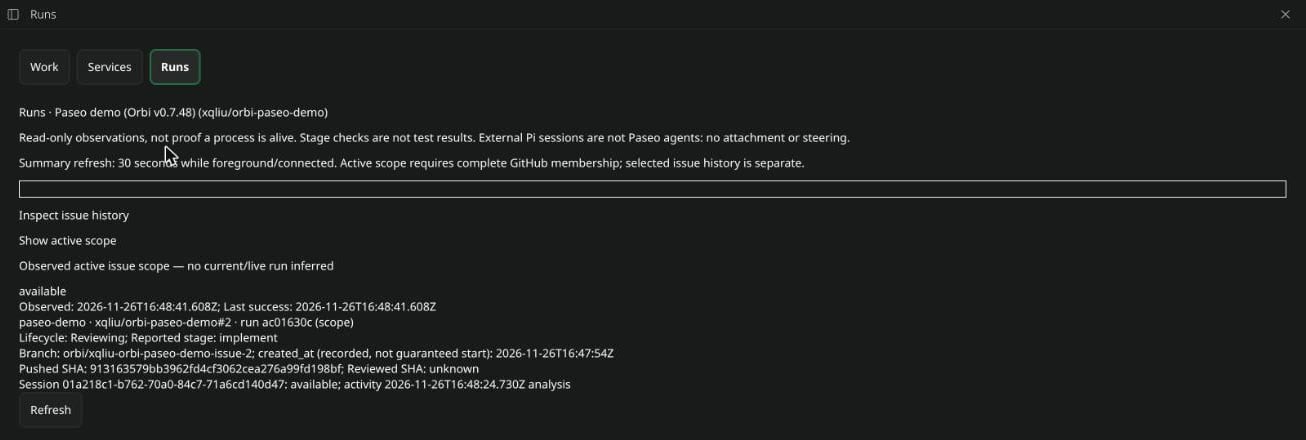
Repository: <label> (owner/repository)and the repository’s Issue rows with their labels. - Runs lists the deployment; selecting it shows the current run: Issue, run ID, stage, branch and the last session activity.
Common problems